What is the best way to optimise images for a website in 2026?
Serve AVIF with a WebP fallback negotiated per request, emit a srcset covering the widths your layout actually uses, and set explicit width and height on every image. Correct per-device sizing matters as much as format, and it is the part most pipelines skip.
AVIF is roughly 50% smaller than JPEG at equivalent quality; WebP about 25-35% smaller. — Google web.dev
Key takeaways
- ✓The editor should never choose a format, dimension or quality setting; the pipeline decides all three.
- ✓Compressing client-side before upload stops oversized originals from ever crossing the network.
- ✓A srcset with an incorrect sizes attribute is worse than no srcset, because the browser trusts it before layout.
- ✓Explicit width and height on every image is what prevents cumulative layout shift.
- ✓The LCP image must be eager with high fetch priority; lazy-loading it is a guaranteed Core Web Vitals failure.
How to audit your own image delivery
Fifteen minutes, no tooling beyond the browser.
- 1
Open DevTools on the page
Network tab, filter to Img, throttle to Fast 4G, then hard reload.
- 2
Sort by transfer size
Anything over 200 KB on a mobile viewport is a candidate. Note the largest three.
- 3
Compare rendered against intrinsic size
Hover any image in the Elements panel. If intrinsic is more than twice rendered, you are shipping wasted pixels.
- 4
Check the response format
Look at the Content-Type header. If it says image/jpeg on a Chrome request, no format negotiation is happening.
- 5
Confirm the LCP image is not lazy
Find the largest above-the-fold image and check it has no loading="lazy" attribute.
Every image problem on a content site comes from the same place: the person uploading is asked to make decisions they have no way to make well. What format? What dimensions? What quality? Compress it first, or upload the original? A good image optimisation pipeline makes all four decisions for them.
The fix is not to train the editor. It is to remove the decision.
This is a description of the pipeline behind this blog, including the parts that were wrong the first time.
An image optimisation pipeline in three stages
In the browser, before upload. A 6 MB phone photo is drawn to a canvas, capped at 2400px on its longest edge, and re-encoded to WebP at quality 0.82. This happens client-side, so the oversized original never crosses the network. If the result comes out larger than the input, which happens with already-optimised files, we keep the original. SVG and GIF are passed through untouched, because canvas re-encoding would rasterise a vector and flatten an animation.
On the CDN, at rest. One asset is stored. Sanity records its intrinsic width and height in the asset ID itself, which matters more than it sounds: those dimensions are what let us set width and height on every img tag without an extra request, and that is what prevents layout shift.
At request time. Sanity's auto=format inspects the browser's Accept header and returns AVIF where supported, WebP otherwise, falling back to the original. The srcset we emit offers eight widths from 320 to 1920, and the browser picks using the sizes hint.
The part people get wrong
A srcset with a wrong sizes attribute is worse than no srcset at all. The browser trusts sizes to decide which candidate to download, and it makes that decision before layout. If you tell it 100vw when the image actually renders at 672px, it confidently downloads a file twice the size it needs.
What actually moves the number
Four things, and they compound rather than substitute for each other.
✓ Worth doing
- ✓Serve AVIF with a WebP fallback, negotiated per request
- ✓Emit a real srcset with a sizes value that matches your layout
- ✓Set width and height on every image to reserve layout space
- ✓Mark the LCP image eager with fetchpriority high
- ✓Write alt text that describes what the image shows
✗ Commonly done, rarely helps
- ✗Compressing once to a single "web size" and serving it everywhere
- ✗Lazy-loading every image including the hero
- ✗Converting to WebP but keeping 4000px dimensions
- ✗Alt text stuffed with keywords instead of description
- ✗A CDN with no per-request format negotiation
The mistake we made, and what it cost
Our first version applied auto=format everywhere, including social share images. That looked correct and was not.
Several of our cover images are SVG diagrams. auto=format leaves SVG as SVG, because for a browser that is the right answer. But no major social platform renders SVG in a link preview (Facebook, X, LinkedIn, Slack and WhatsApp all skip it), so every share of those posts appeared with no image at all.
The failure was silent. Nothing errored, the pages scored well, and the only symptom was a share card that looked like a bare link.
Two things came out of that. Social and schema images now force PNG rather than negotiating, because a share card should not depend on a crawler's Accept header. And format negotiation is right for the reading experience and wrong for anything a third party consumes.
Alt text, since it comes up every time
Alt text is not a keyword slot. It is what a screen reader announces and what Google Images uses to understand the picture. "Mobile booking page with the hero image still loading" is useful to both. "dental website speed dentist booking fast" is useful to neither, and reads as spam.
Our editor treats a missing alt as a warning inline and blocks publishing a post whose cover image has none. That is deliberate: an optional field with no feedback is a field that stays empty.
The one case where empty alt is correct is a decorative image: an author avatar sitting next to the author’s name in text, for instance. Describing it makes a screen reader announce the same information twice. Empty alt on decoration is a decision; missing alt on content is an oversight.
How to audit your own delivery
Fifteen minutes, no tooling beyond the browser.
- 1Open DevTools, Network tab, filter to Img, throttle to Fast 4G, hard reload.
- 2Sort by transfer size. Anything over 200 KB on a mobile viewport is a candidate.
- 3Hover each image in the Elements panel. If the intrinsic size is more than twice the rendered size, you are shipping wasted pixels.
- 4Check the Content-Type header. If it says image/jpeg on a Chrome request, no format negotiation is happening.
- 5Find the largest above-the-fold image and confirm it has no loading="lazy".
The last one is the highest-value check on the list. Lazy-loading is applied site-wide by most themes and plugins, and on the LCP element it delays the exact paint that LCP measures.
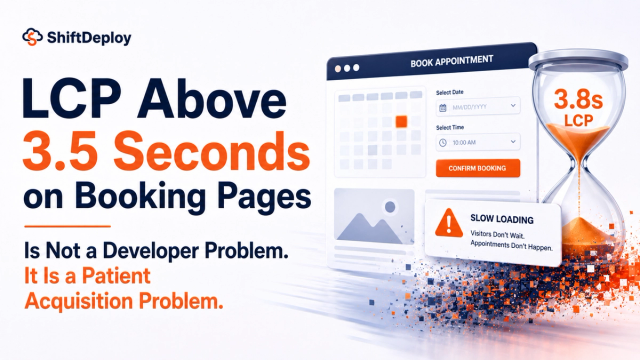
If the slow image is on a booking page, the order of fixes in booking page LCP applies. Once images are sorted, the next thing to check is how quickly the page responds to taps: INP above 200ms on booking flows. If you would rather we checked it for you, start with a free website check.
Implementation questions
Should I use a picture element or srcset?
Is AVIF safe to serve in 2026?
Does compressing in the browser lose quality?
If your LCP is image-bound, this is usually a one-week fix.
Talk to us about your image pipelineFrequently asked questions
What image format should I use for a website in 2026?
AVIF first, WebP as a fallback, and the original JPEG or PNG last. Do not pick one format for the whole site. Negotiate per request from the browser Accept header so each visitor receives the smallest format their browser can decode.
Why do my images still load slowly after converting to WebP?
Almost always because the dimensions never changed. A 4000px WebP served to a 390px phone is still several times larger than it needs to be. Resizing per device matters as much as the format.
What should alt text actually say?
Describe what the image shows and why it is there, in a normal sentence. Screen readers and Google Images both use it. Keyword-stuffed alt text helps neither and reads as spam.
How do I stop images causing layout shift?
Set width and height attributes on every img tag so the browser reserves the correct space before the file arrives. If your CMS stores intrinsic dimensions with the asset, this costs nothing at render time.
Sources
- Choose the right image format — Google web.dev
- Optimize Largest Contentful Paint — Google web.dev
- Image CDN and transformation reference — Sanity

Web Performance Engineers
The ShiftDeploy engineering team audits and rebuilds booking and enquiry flows for UK dental practices, clinics and service businesses. Every figure we publish comes from field data on sites we have measured.
- ✓ Audited 100+ UK practice websites
- ✓ Specialists in mobile booking flow performance