Is a contact form or online booking better for appointments?
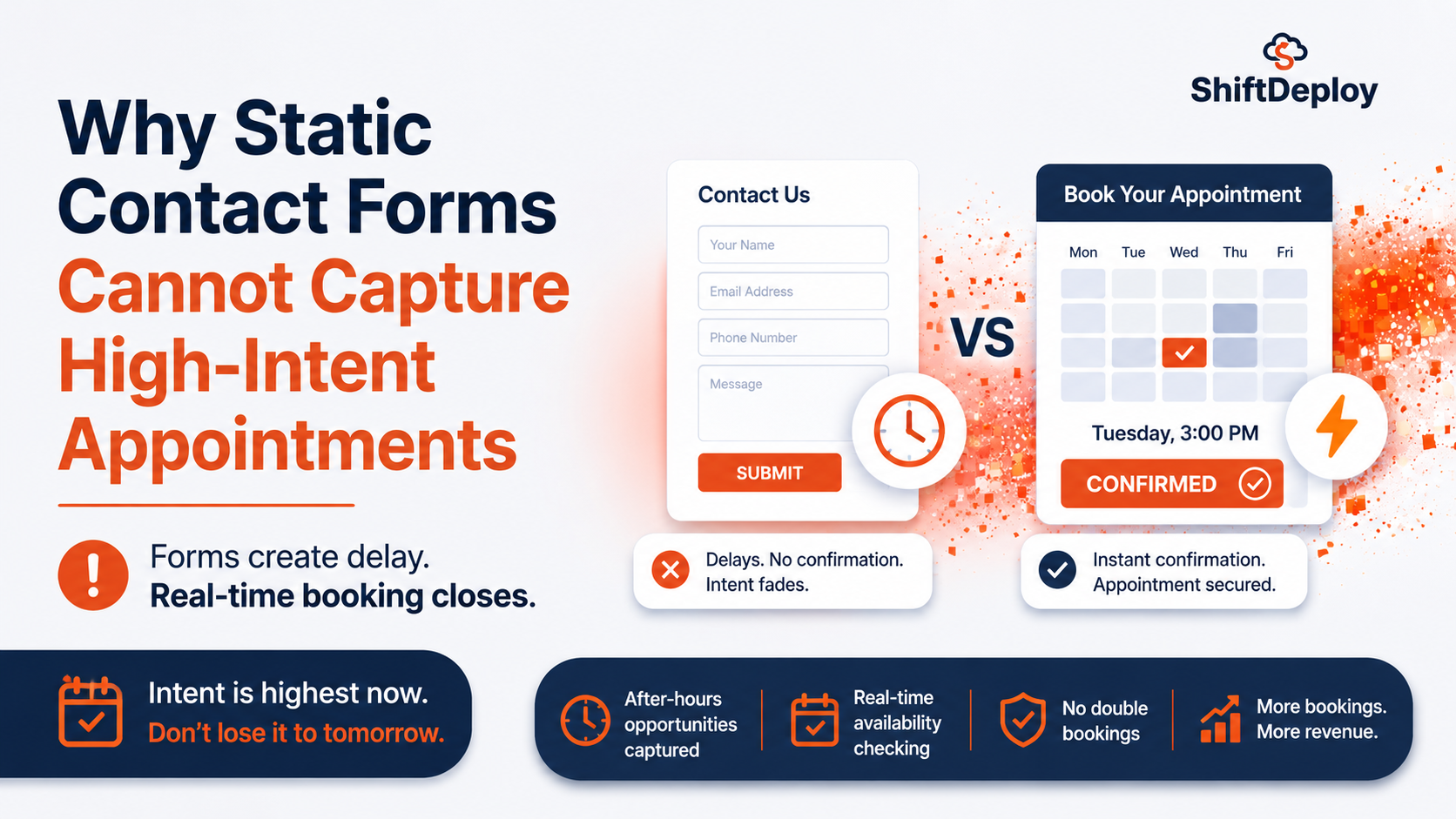
For routine appointments, online booking. A contact form can’t see your diary or confirm a time, so someone has to reply and arrange it by hand, often hours later. Online booking confirms the slot immediately, at any hour. Keep a contact form for enquiries that need a conversation first, such as quotes or anything urgent.
Key takeaways
- ✓A contact form is a message relay. It can’t check availability or confirm anything.
- ✓Online booking confirms a time while the person is still on your website.
- ✓The delay between an enquiry and your reply is where bookings go elsewhere.
- ✓Contact forms still suit quotes, complex jobs and anything that needs triage.
- ✓Restyling a form doesn’t change what it can do. The fix is a different tool.
A contact form and online booking look much the same on a website, but they do different jobs. A contact form passes a message to your inbox, and someone then has to turn it into an appointment by hand. Online booking checks your diary and confirms a time on the spot. When you compare a contact form vs online booking for appointments that matter, that difference decides who gets the booking.
Contact form vs online booking: what each actually does
| Contact form | Online booking | |
| Checks your availability | No | Yes |
| Confirms a time | No, someone replies later | Yes, straight away |
| Works at 10pm on a Sunday | Takes the message; reply comes next working day | Books the slot |
| Prevents double bookings | No | Yes |
| Needs a person to follow up | Always | Only for changes and exceptions |
| Best for | Quotes, complex jobs, anything needing triage | Routine, well-defined appointments |
What a static contact form is built to do
A contact form accepts some details and sends them to an inbox or a CRM. That’s all it does.
It doesn’t know that Tuesday at 3pm is free, or that your last Thursday slot was taken by a phone booking four minutes ago. It can’t tell a high-value consultation from someone checking prices. It captures interest, and the business then has to resolve that interest into an appointment through a person, a phone call or an email chain. That gap is where bookings are lost.
Why the gap between enquiry and reply loses bookings
Here’s how a form-based booking usually goes:
- A patient submits the form at 9.47pm
- The email lands in a shared inbox
- Someone sees it at 8.30am the next morning
- They ring the patient and get voicemail
- The patient rings back at lunch
- An appointment is finally agreed, many hours after the patient wanted one
A form can’t confirm anything until someone is at work to read it. By then, the patient may have booked somewhere that let them pick a time.
The enquiries you never see
The bigger loss doesn’t appear in your inbox at all. It’s the visitor who reached the form, couldn’t tell whether their preferred time was free, didn’t want to wait for a reply, and left without submitting.
They show up in your analytics as an ordinary visit to the contact page. Nothing marks them as someone who was ready to book.
What’s a good contact form conversion rate?
Your contact form conversion rate is the number of form submissions divided by the number of people who viewed the page with the form, over the same period. Most analytics tools, including Google Analytics, can show both numbers.
There isn’t a reliable single benchmark for clinics or local service businesses. The averages that get shared online mix very different industries and rarely say where the figures come from. Your own numbers are more useful:
- Compare phones with computers. If the rate on phones is much lower, the form or the page is probably harder to use on a phone.
- Compare before and after a change. Shorten the form, speed it up or add online booking, then measure again over a similar period.
- Count bookings, not just submissions. A form that gets plenty of submissions but few confirmed appointments has a follow-up problem, not a form problem.
If submissions are low and the page gets real visits, the fixes are usually fewer fields, a faster response when someone taps Submit, and offering online booking alongside the form.
When a contact form is the right choice
Online booking isn’t right for everything. Keep a contact form, or a phone call, for:
- Quotes, where you need details or photos before you can price the job
- Anything urgent, such as pain, leaks or emergencies, which needs a person to judge it
- Complex treatments or projects that need a conversation first
- General questions that aren’t bookings at all
Many businesses do best with both: online booking for routine appointments, and a short form or instant messaging for everything else.
Questions to ask about your own enquiries
- How long, on average, between a form submission and your first reply?
- How many submissions arrive between 7pm and 8am?
- Of the forms submitted, how many became confirmed appointments?
- How many submissions a month get no reply within 24 hours?
If the answers show long gaps and overnight enquiries, the problem isn’t the design of the form. It’s that a form can’t do the job you need.
What to put in its place
For routine appointments, add online booking that shows real availability and sends a reminder; reminders also help to reduce no-shows. For enquiries that come in by phone, WhatsApp or chat, an AI receptionist can reply straight away and book the slot. Dental practices can see how that works in AI receptionists for dentists.
If you keep a form, make sure it’s fast; see why website form submissions are slow. And check the page it sits on loads quickly on a phone: booking page speed.
Tell us how enquiries reach you now. We’ll show you which ones could be booked on the spot, and what that would take.
Get your free checkFrequently asked questions
Is a contact form or online booking better?
For routine appointments, online booking, because it confirms a time immediately. For quotes, urgent problems and complex work, a form or a phone call is better, because a person needs to judge it first.
Why do contact forms lose bookings?
Because they can’t confirm anything. The person waits for a reply, often until the next working day, and some book elsewhere in the meantime.
Can I use both a contact form and online booking?
Yes, and many businesses should. Use online booking for routine appointments and a short form or messaging for everything else.
Will a better-looking contact form get more bookings?
Not by itself. A redesign doesn’t let a form check your diary or confirm a time. Speed and clarity help, but the bigger change is offering booking.
What about enquiries outside working hours?
Online booking handles routine ones. For calls and messages, an AI receptionist can reply and book straight away, so the evening enquiry isn’t left until morning.

Web Performance Engineers
The ShiftDeploy engineering team audits and rebuilds booking and enquiry flows for UK dental practices, clinics and service businesses. Every figure we publish comes from field data on sites we have measured.
- ✓ Audited 100+ UK practice websites
- ✓ Specialists in mobile booking flow performance